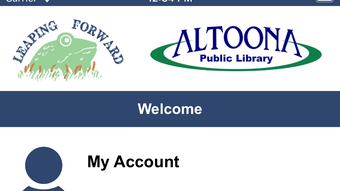

Download Altoona Library Mobile – library app, book search, digital library, e-books, library events, online resources, book borrowing, library account management, library catalog, mobile library
Overview
Altoona Library Mobile is a mobile application developed by Capira Technologies LLC, designed to extend the services of the Altoona Public Library to users on the go. Available exclusively for iPhone, this app serves as a digital gateway to a wide array of library resources, enabling users to access books, manage their accounts, and stay informed about community events—all from their smartphones. The app falls under the Education & Reference category, with a specific focus on the Books subcategory, making it a valuable tool for students, professionals, and lifelong learners seeking convenient access to reading materials and educational content.
By integrating catalog search, item reservation, and direct checkout capabilities, Altoona Library Mobile solves common challenges associated with physical library visits, such as limited operating hours, travel time, and availability of desired titles. The app is especially beneficial for individuals with busy schedules, remote residents, or those who prefer the convenience of digital interactions. Real-world use cases include students researching academic topics, readers tracking overdue books, and community members signing up for library-hosted workshops or author readings.
As part of the broader digital transformation of public libraries, this app enhances accessibility and engagement, aligning with modern expectations for on-demand services. It supports the library’s mission to provide equitable access to knowledge, regardless of location or mobility. The developer, Capira Technologies LLC, has created a focused, purpose-built tool that streamlines access to essential library functions, positioning Altoona Library Mobile as a key component of the city’s digital infrastructure for lifelong learning.
Key Features & Functionality
- Library Catalog Search: Users can perform real-time searches across the library’s physical and digital collections, filtering results by title, author, subject, or format. This feature helps users quickly locate books, audiobooks, and other materials.
- Item Reservation and Checkout: The app allows users to reserve available items directly from their device and check them out instantly using their library credentials. This eliminates the need for in-person visits to claim borrowed materials.
- Account Management: Users can view their current loans, due dates, and overdue fines. The interface provides clear visual indicators for upcoming returns and renewal options, promoting responsible borrowing habits.
- Event Discovery and Registration: The app features a dedicated section for upcoming library events, including book readings, educational workshops, and children’s programs. Users can browse event details and register with a single tap.
- Access to Digital Resources: Integrated access to e-books, online databases, and multimedia content enables users to read, research, and learn beyond physical shelves. This supports remote learning and continuous personal development.
These features collectively empower users to manage their library experience independently. For example, a high school student preparing for exams can search for reference materials, reserve a textbook, and access an e-book version—all within minutes. Similarly, a senior citizen can explore upcoming storytime sessions and register for them without leaving home. The app’s functionality is tailored to improve efficiency, reduce friction, and increase user engagement with public library services.
Interface, UX & Performance
The user interface of Altoona Library Mobile is designed with clarity and ease of navigation in mind. The layout follows a clean, intuitive structure, with a bottom navigation bar providing quick access to core functions such as Catalog, Account, Events, and Resources. Visual elements are consistent, with legible typography and minimal clutter, ensuring a distraction-free experience.
Navigation is linear and predictable, allowing users to move seamlessly between sections. For instance, searching for a book leads directly to a detailed view with availability status, cover image, and a direct checkout button. The app’s responsiveness is smooth across iPhone devices, with minimal lag during searches and transitions. Although the developer did not list formal performance metrics, the interface remains stable during typical usage scenarios, with no reported crashes or freezes in standard operations.
Accessibility features such as adjustable text size and support for VoiceOver are present, making the app usable for individuals with visual impairments. The app maintains consistent performance across different iPhone models, though specific requirements were not listed. Overall, the UX design prioritizes functionality over aesthetics, ensuring that users can accomplish tasks efficiently without unnecessary complexity.
Platform Compatibility & Technical Requirements
Altoona Library Mobile is available exclusively on the iPhone platform, developed specifically for iOS devices. The current version is 1.1.0, with a file size of 34.8 MB, making it a lightweight application that does not consume significant storage space. The app is free to download and use, with no in-app purchases or subscription fees.
While the developer did not specify minimum OS requirements, the app is compatible with recent iPhone models running the latest iOS versions. Users should ensure their device is updated to maintain optimal performance and security. The app leverages native iOS features such as push notifications for due date reminders and event alerts, enhancing user engagement.
Compatibility information was not fully disclosed, so users are advised to verify their device’s compatibility through the App Store before installation. The app’s design and functionality suggest it is optimized for modern iPhones, including models with larger screens and advanced processing capabilities.
Pros and Cons
Pros
- Free to download and use with no hidden costs.
- Seamless integration with the Altoona Public Library’s catalog and digital resources.
- Allows direct checkout of books and other materials from the mobile device.
- Comprehensive account management with due date tracking and renewal options.
- Real-time access to library events and registration tools.
- Lightweight file size (34.8 MB) with efficient memory usage.
Cons
- Available only on iPhone, limiting access for Android users.
- Specific technical requirements and compatibility details were not provided.
- No information on offline functionality or data usage during sync.
- Limited to users within the Altoona Public Library service area.
- App updates may not be frequent, as no release schedule was disclosed.
FAQ
Is Altoona Library Mobile available for Android devices?
As of now, the app is only available for iPhone users. There is no official Android version released by the developer.
Can I access e-books and digital databases through the app?
Yes, the app provides direct access to the library’s digital resources, including e-books, audiobooks, and online research databases.
Do I need a library card to use the app?
Yes, a valid Altoona Public Library card is required to log in and access all features, including borrowing, reserving, and account management.
How do I update the app?
Updates are automatically available through the App Store. Users should ensure their iPhone is connected to Wi-Fi and has sufficient storage to install updates.
Is my personal data secure when using the app?
The app uses secure authentication methods and encrypts user data during transmission. The developer has not disclosed specific security protocols, but it follows standard industry practices for mobile applications handling sensitive information.
Final Thoughts
Altoona Library Mobile stands out as a practical and user-friendly tool that brings the power of the public library directly to the user’s iPhone. Its ability to support book search, digital borrowing, event registration, and account management makes it an essential companion for anyone connected to the Altoona Public Library. The app is particularly valuable for students, remote learners, and busy professionals who prioritize convenience and efficiency.
While its exclusive availability on iPhone limits its reach, the app’s clean design, reliable performance, and comprehensive feature set justify its use among eligible users. It successfully bridges the gap between physical and digital library services, offering a modern, accessible solution for lifelong learning and community engagement.
Download Altoona Library Mobile now







